
MS NOW: Watch Live News
Versant Media, LLCNews & Magazines
4.61.55K Reviews
- Version
- Varies With Device
- Installs
- 500.00K
- Age Rating
- Teen
Screenshots
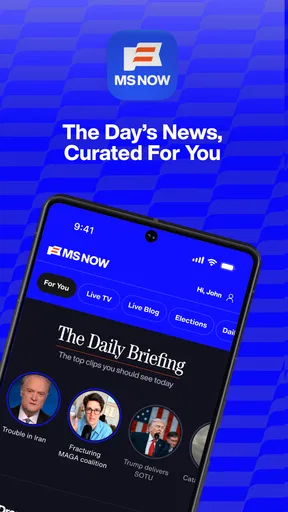

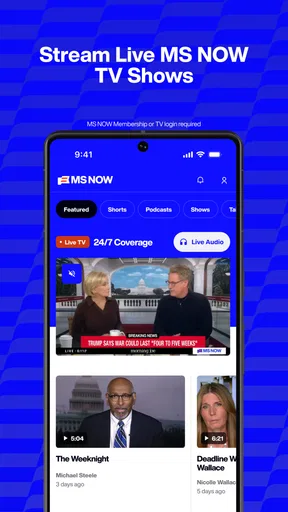
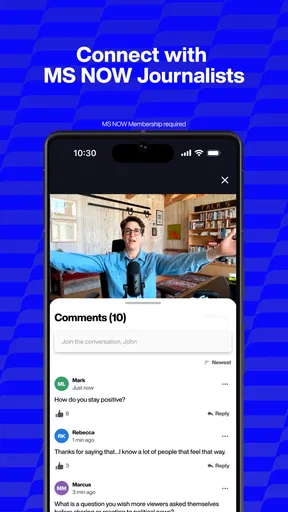
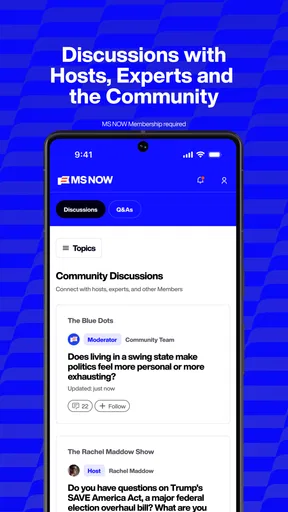
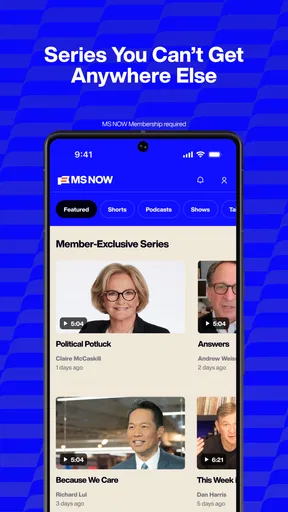
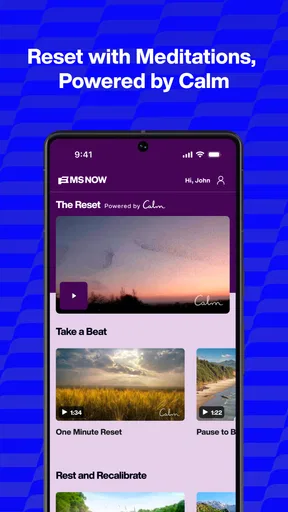
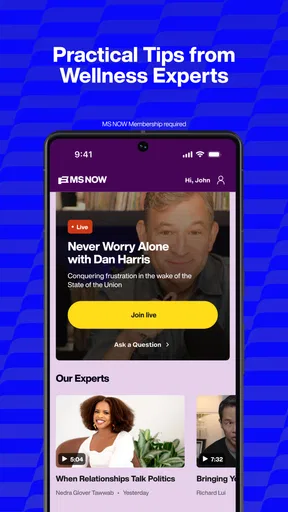
Our Review of MS NOW: Watch Live News
 Analysis by Appyee
I opened MS NOW: Watch Live News expecting a straightforward way to follow the news associated with the team formerly known as MSNBC, and that is still the clearest way to understand it. This is a free news and magazines app from Versant Media, LLC, built around watching video and streaming audio rather than simply scanning headlines. In my experience, it makes the most sense when I want a live-news companion during a busy day, not when I am looking for a quiet, all-purpose news reader.
The app has a focused identity. Its central job is to put MS NOW video and audio content in one mobile destination, so the experience begins with a decision: do I want to watch, or do I mainly want to listen while doing something else? That distinction matters because the app feels more like a broadcast hub than a traditional newspaper-style application. If you prefer news delivered through a continuous visual or spoken stream, it is an appealing starting point. If you mainly want short written summaries and a broad mix of publishers, the usual news aggregator may fit your routine better.
From a busy moment to a usable news routine
I find this section most useful when a quick check-in needs to fit around real life, rather than take over it. A short session can help me decide whether a developing story merits more attention, while a deliberate stop keeps live coverage from turning into background noise. That practical rhythm leads naturally to the next question: how the app holds up when viewing or listening becomes a longer, more demanding part of the day.
Starting with the situation that brings the app into focus
A realistic use case is a weekday morning when I have a few minutes before leaving home. I may not have time to read several articles, compare headlines, and open separate video clips. With this app, I can open the news destination and move toward video or audio depending on whether I am stationary or already getting ready. That simple choice is one of its practical strengths: the same app can serve a screen-first moment at a desk and a listening-first moment when my attention is elsewhere.
Another useful scenario is following a developing story while working. I can keep the video available when I want visual context, then switch my attention to the audio stream when looking at a screen becomes inconvenient. I would not treat that as a replacement for carefully reading every source, but it reduces the friction of staying connected to the live-news flow. The app is especially easy to understand for someone who already knows what kind of coverage they want and does not want to assemble it from several unrelated services.
The audience fit is fairly clear. I would recommend it to people who value live video, spoken coverage, and a recognizable broadcast-style experience on a phone or tablet. It is also a reasonable choice for someone who wants one dedicated place for this particular news team’s material. I would be less enthusiastic about recommending it to a reader who wants extensive text archives, local reporting from many publishers, or a customizable dashboard that combines numerous viewpoints in one feed.
Choosing between watching and listening
The first meaningful handoff in the workflow is from the user’s situation to the right format. Video works when I can give the screen my attention and want the presentation that comes with a live broadcast. Audio is more useful when I am walking around the house, preparing food, or handling routine tasks. That is not a flashy feature, but it is an important design advantage because it lets the app follow the way I consume news instead of forcing every session into a reading format.
I find the audio option particularly useful for avoiding unnecessary screen time. A conventional news app may be better when I want to skim ten headlines in a minute, but skimming is not always the goal. Sometimes I want a continuing stream that I can hear while doing something else. The trade-off is control: a written feed normally lets me choose exactly which item to open and in what order, while a live stream gives me less precision over the sequence of coverage.
For that reason, I would start a session by deciding whether I need awareness or detail. For awareness, the live video or audio experience is convenient. For detail, I would use the stream as an entry point and then seek out additional reporting when a subject deserves closer attention. That workflow prevents the common mistake of treating a continuous broadcast as if it were a complete research tool.
Moving through the session without overcomplicating it
Once I have chosen the format, the useful workflow is deliberately direct: open the app, select the kind of coverage that matches the moment, follow the stream, and decide whether a story deserves more attention. The value is not in a complicated set of controls; it is in reducing the number of steps between opening the app and hearing or seeing news. That makes it suitable for quick check-ins, especially when I do not want to navigate across several sections before receiving anything useful.
A good habit is to use short sessions rather than leaving the app as the only source of information all day. I might listen while making breakfast, watch for a while during a break, and then stop once I have the context I need. This keeps the app in its strongest role: a convenient live-news layer. It also makes it easier to notice when I need a slower, more deliberate source for background, opposing perspectives, or a written record of specific claims.
The app’s Teen content rating is worth considering for households. It signals that this is news content intended for a more mature audience than young children, and live coverage can naturally include serious or unsettling subjects. I would not hand it to a child as an unsupervised entertainment app. For teenagers and adults, the rating is less a barrier than a reminder that the material is current-affairs programming rather than lightweight general-interest content.
Handling the handoff from phone to everyday life
The most useful handoff is from the app to whatever I am doing next. If I begin with video at my desk, I may later rely on audio while moving around. If a headline catches my attention, the app can serve as the first step in understanding it, but I would not assume that a live segment answers every follow-up question. The handoff to deeper reading, fact-checking, or another source remains my responsibility.
This is where the app differs from a typical headline aggregator. An aggregator usually hands me a list of choices and lets me jump among publishers. MS NOW instead gives me a more concentrated stream. That can feel calmer and more coherent when I want one editorial destination, but it is less flexible when I want to compare coverage immediately. Neither approach is universally better; the right choice depends on whether I value continuity or breadth in that moment.
There is also a practical handoff between free access and paid elements. The app itself is free to install, while in-app purchases are listed from $7.99 to $189.00 per item. I would therefore treat the free entry point and any optional paid experience as separate decisions. Before completing a purchase, I would check exactly what the item provides and whether it improves my personal routine, because someone who only wants occasional live viewing may not gain enough value from paying.
What the workflow produces at the end
When the workflow goes well, I finish with a current sense of what is being covered without needing to build a playlist or search through several sources. That is the app’s clearest result: it turns a spare moment into a live-news session, then lets me carry the experience into an audio-focused part of the day. For commuters, home workers, and people who prefer broadcast presentation, that can be more natural than reading a dense collection of headlines.
The result is less satisfying when I need a precise answer. A stream is not the same as an indexed reference library, and listening passively can make it harder to return to one exact detail later. My workaround is simple: when something matters, I note the topic and follow up with a written source or a more targeted search. That small extra step is the difference between using the app responsibly as a news starting point and expecting it to perform every research task.
The app’s reception suggests that this focused approach works for many users. It holds an average rating of 4.1 from around 9.9 thousand ratings, with roughly 1.1 thousand written reviews, and has passed 100 thousand installs. Those figures indicate a meaningful audience and generally positive response, but they do not change my main conclusion: the experience is strongest for people who specifically want MS NOW video and audio, not for everyone shopping for a universal news platform.
Where the flow breaks down
The first point of friction is the narrow editorial destination. If my daily routine requires international newspapers, local stations, specialist publications, and independent newsletters together, this app will not replace the broader discovery offered by an aggregator or a collection of publisher apps. Its focus is also its limitation. I may appreciate the consistency one day and wish for more immediate comparison the next.
The second break occurs when passive consumption is not enough. Video and audio are convenient, but they can encourage me to keep listening without deciding what I actually need to know. I get better results when I enter with a purpose: catch up on the main developments, follow a live segment, or listen while completing a routine task. Without that intention, the stream can become background noise rather than useful news consumption.
The third issue is the cost boundary. A free app is easy to try, but the range of in-app purchase amounts means I would pay attention before confirming anything. I would not recommend buying simply because a feature is presented during a moment of interest. I would first use the free experience long enough to decide whether the format genuinely fits my habits, then evaluate any paid option on its own terms.
There is also a difference between convenience and accessibility of information. A spoken stream is excellent when my hands are occupied, yet it is not ideal if I need to scan, copy, compare, or revisit a particular passage. Video can add context through presentation, but it still asks for visual attention. Someone who relies heavily on searchable text may find a conventional written-news service more efficient for everyday reference.
Who should make this their regular news app?
I would make this a regular choice if I already prefer the MS NOW news style and want a mobile route to its video and audio coverage. It suits people who think in broadcasts rather than article lists, people who like listening during chores, and viewers who want a dedicated news destination instead of a general-purpose feed. The strongest benefit is the smooth match between a live-news habit and a phone-based session.
I would skip it as my primary app if I need extensive personalization, many competing publishers, strong text-first research tools, or a highly structured archive. In that case, a general news aggregator or a newspaper app with deeper article navigation would be a better main tool. I might still keep this one as a secondary source for live video and audio, because its focused role can complement rather than replace a broader reading workflow.
My recommendation after using the complete workflow
My honest view is that MS NOW: Watch Live News succeeds when I use it for what it is: a focused way to watch news video and stream audio from the team formerly known as MSNBC. The free download lowers the barrier to trying that routine, and the combination of screen-based and listening-based consumption gives it more flexibility than a video-only destination. Versant Media, LLC has positioned it around a clear behavior rather than an overloaded list of unrelated tools.
I would begin with a short, purposeful session, test both formats, and notice whether the app fits naturally into my day. If I mainly want live awareness, it can become a convenient first stop. If I need detailed verification or a wide range of editorial sources, I would pair it with another service instead of asking it to do everything. The best reason to choose it is not simply that it is free; it is that its live video and audio workflow matches the way you already follow news.
Released on March 19, 2024, it is still best judged as a focused news app rather than a complete replacement for every way of reading current affairs. My final recommendation is positive for the right audience: try it if you want a dedicated MS NOW stream that can move from watching to listening as your day changes. Keep your expectations realistic, use it as the beginning of a news workflow when a story requires depth, and be deliberate about any in-app purchase before spending money.
Privacy and Permissions
See what permissions an app requests and how it handles your data.
- Location
- approximate location (network-based)
- Wi-Fi connection information
- view Wi-Fi connections
- Other
- view network connections, full network access, run at startup, control vibration, prevent device from sleeping
Verdict
Strengths of MS NOW: Watch Live News
- Live news coverage keeps you updated throughout the day.
- Includes on-demand clips for watching news at your convenience.
- Clean interface makes browsing major stories straightforward.
- Supports personalized viewing across a range of news topics.
- Useful option for viewers already in the MS NOW news ecosystem.
Limitations of MS NOW: Watch Live News
- Some live content may require a paid subscription or provider access.
- Availability of channels and features can vary by region.
- Video playback may use significant mobile data when streaming on cellular.
- Breaking-news alerts may feel frequent or difficult to customize.
- Older devices may experience slower loading or reduced playback quality.
Other Releases by Versant Media, LLC
View All
CNBC: Business & Stock News
Finance4.5

E! News
News & Magazines4.3
Similar Picks in This Category
View All
Google News - Daily Headlines
Google LLC4.0

X
X Corp.4.8

Flipboard:Your Social Magazine
Flipboard3.4

Opera News: breaking & local
Opera4.5

Hindi News by Dainik Bhaskar
Dainik Bhaskar Group4.0

Way2News Daily News App
Way2News ( Formerly Way2SMS )4.6
Frequently Asked Questions
What is MS NOW: Watch Live News?
MS NOW: Watch Live News is a news-streaming application designed to let users follow live coverage, breaking stories, political updates, interviews, and other current events from their mobile device. After installing it, you can browse featured reports and receive a more television-like news experience on demand, although the exact content and availability may vary by region and by the provider’s current programming schedule.
Is MS NOW: Watch Live News free to download and use?
The application may be available to download without an upfront charge, but that does not necessarily mean every feature or live stream is completely free. Some content can depend on your location, television provider, subscription, or account status. Before relying on the app for unrestricted viewing, check the current listing and in-app requirements, because access rules, advertising, and premium coverage may change over time.
Can I watch live news without a cable or television subscription?
Whether you can watch all live news without a cable or television subscription depends on the stream and your location. The app may provide selected clips, previews, or publicly available coverage, while certain live programming can require verification through an eligible provider or a paid service. Users should review the sign-in screen and regional terms before downloading if subscription-free access is essential.
Does MS NOW: Watch Live News support notifications and breaking-news updates?
The app is intended for users who want timely access to developing stories, and it may offer notifications or prominently display breaking-news coverage. However, alerts are usually optional and can be controlled through the app and your phone’s system settings. Notification timing is not guaranteed, so the application should complement—not replace—official emergency alerts and trusted local sources.
What should I know about compatibility, data usage, and privacy?
Live video can use a significant amount of mobile data, especially when watched for long periods, so Wi-Fi is recommended unless your plan includes sufficient data. Compatibility depends on your Android or iOS version and device capabilities. Before creating an account, review the app’s permissions and privacy policy to understand how viewing activity, device information, and account details may be collected or used.
